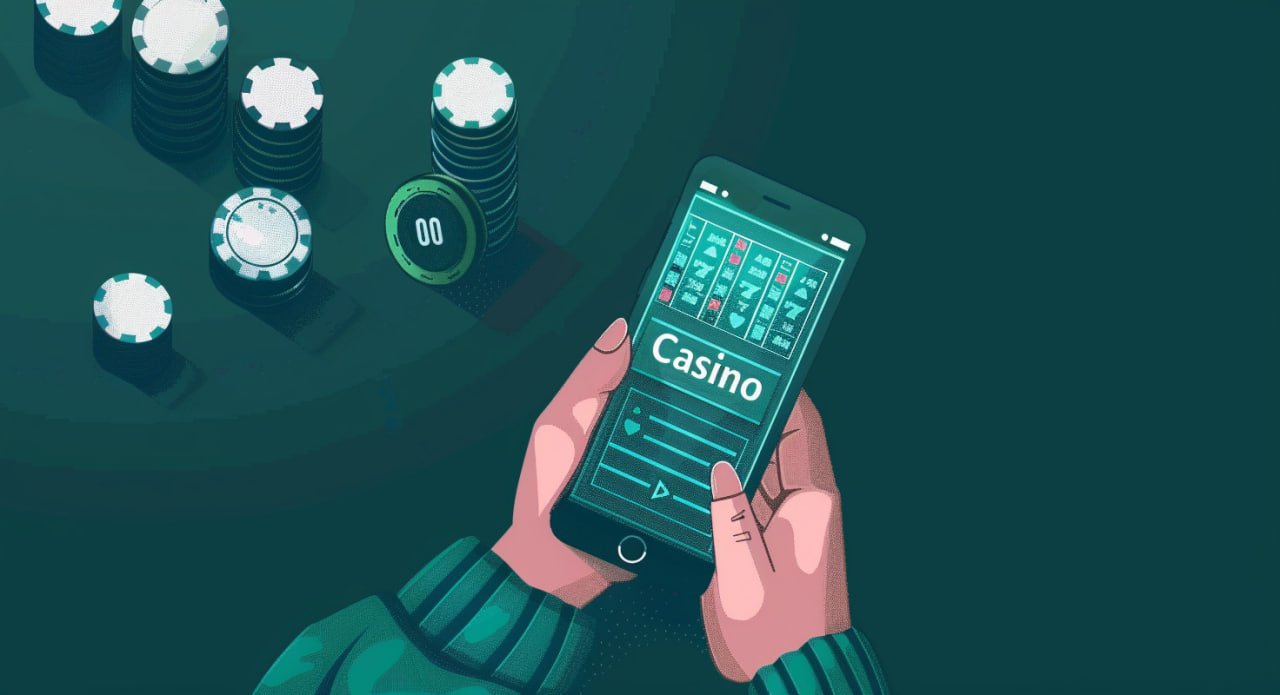
Take the a28s in your pocket. With the official app, you access slots, casino, sports betting, fish games, and much more directly from your smartphone — with the same quality as the web version, optimized for touch and speed.
A28s is available for Android and iOS — each with its own installation method
On Android, the a28s app a28s is installed via APK — a file you download directly from the official website, with no need for the Play Store. It's simple, fast, and safe when done through the correct source.
On iPhone, the a28s a28s works as a Progressive Web App (PWA). You open the site in Safari, add it to your home screen, and that's it — the experience is virtually identical to a native app, without taking up App Store space.
Installing via APK is different from downloading from the Play Store, but it's simple to do. Follow the steps below and you'll be playing in under two minutes.
Go to Settings › Security (or Privacy) and enable the option "Install apps from unknown sources" or "Allow from this source". This varies depending on your phone's brand.
Click the a28s download button a28s on this page. The APK file will be saved automatically to your device's Downloads folder.
Find the file in your Downloads folder or through the file manager, tap it, and confirm the installation. The process takes about 20 seconds.
After installation, the a28s icon a28s will appear on your home screen. Open it, log in to your account or register — and start playing.
On iOS, the process is even simpler — no special settings need to be enabled. It works directly through Safari.
On iPhone, open the Safari browser (not Chrome). Go to the official a28s address a28s.
In the bottom bar of Safari, tap the share icon (the square with an arrow pointing up).
Scroll through the options and tap "Add to Home Screen". Confirm the name and tap "Add".
The a28s icon a28s will appear on your home screen. Tap it to open the app — no browser required.
Important tip: The PWA only works correctly when added through Safari. If you try via Chrome on iPhone, the "Add to Home Screen" option may not appear or may work in a limited way.
Interface optimized for 4G and Wi-Fi connections. Games load in seconds, with no lag.
Receive alerts about promotions, bonuses, and news directly on your phone screen.
Deposit and withdraw in reais (R$) via Pix directly through the app, no computer needed.
Encrypted data and SSL connection on all transactions and gaming sessions.
Many people still prefer playing on a computer, and that makes sense — bigger screen, keyboard, mouse. But the truth is that Brazilian players' habits have changed a lot in recent years. Most people today open entertainment platforms directly from their phones, whether on the bus, at home on the couch, or during breaks throughout the day. That is where the a28s app a28s makes all the difference.
The app was built with mobile devices in mind from the ground up, not as an adaptation of the desktop version. This means menus are easier to navigate with your thumb, buttons are the right size for precise taps, and casino games — slots, roulette, blackjack, baccarat — have an interface redesigned for smaller screens without losing any functionality.
Another important point is balance and transactions. In the a28s app a28s, you can make deposits via Pix, check your balance, track your betting history, and request withdrawals without needing to open a computer. For those who use Pix daily — and in Brazil today practically everyone does — this eliminates any friction between wanting to play and actually getting started.
This is a question many people have but don't always ask. The short answer: for most players, the experience is very similar. The a28s app a28s for Android runs more smoothly on older devices because it makes better use of the phone's hardware. The PWA for iOS, in turn, is practically identical to the website — but with direct access from the home screen and an interface without the browser bar, giving a more immersive feel.
The difference is most noticeable on devices with a slower connection. The a28s Android app a28s loads some resources locally, which reduces wait times when the connection isn't ideal — a common situation in certain regions of Brazil. For users on 4G with average signal, this can be the difference between a smooth session and one full of loading interruptions.
For iPhone users with an updated iOS and a stable connection, the PWA delivers essentially everything the Android app offers. Push notifications, quick access, adaptive layout — the only thing missing is installation via a file, since Apple requires apps to go through the App Store or the PWA model for end users.
This is an important point. With the popularity of online entertainment platforms in Brazil, there is no shortage of attempts to distribute fake or modified apps. To ensure you are downloading the official a28s APK a28s, follow one simple rule: the download must always come directly from this page, on the official website.
Never download the a28s app a28s from third-party sites, WhatsApp groups, Telegram, or links sent by unknown contacts. APKs from unofficial sources may contain malware, spyware, or tampered versions that compromise the security of your data — including banking information used in deposits and withdrawals via Pix.
After installing the app, always check that the version matches the latest one listed here. The app itself notifies you when an update is available, and the update process is done directly within the app, without needing to download a new APK manually.

Understand the differences between the two options available at a28s
| Feature | Android App (APK) | PWA iOS (Safari) |
|---|---|---|
| Installation method | APK file download | Add via Safari |
| Icon on home screen | Yes | Yes |
| Push notifications | Yes | Yes (iOS 16.4+) |
| Deposit via Pix | Yes | Yes |
| Automatic update | Via in-app notification | Automatic (via server) |
| Offline performance | Partial cache available | Partial cache available |
| Full lobby access | Yes | Yes |
| Minimum requirement | Android 6.0+ | IOS 13+ / Safari |
Use a stable Wi-Fi or 4G connection for live games. Live casino with real dealers requires a more stable connection. If your internet is slow, stick to virtual table games or slots, which handle signal variations better.
Enable push notifications. The a28s app a28s sends alerts about promotions, bonuses, and news. It's worth enabling so you don't miss any exclusive offers for app users.
Keep the app updated. Updates bring performance improvements, new games, and security fixes. When the app alerts you about a new version, update before your next session.
Use biometric recognition to log in. The a28s app a28s supports fingerprint and Face ID (on compatible devices), making access faster and more secure than typing a password.
Register your Pix key before playing. For quick withdrawals, register your Pix key (CPF, email, or phone number) in your account settings before placing your first bet. That way, when you want to withdraw, the process is instant.
On iPhone, always use Safari. Many iPhone users try to add the a28s to the home screen via Chrome or Firefox, but the PWA only works correctly through Safari on iOS. This is an Apple limitation, not an app limitation.
One of the app's strengths is that it gives you full access to the lobby — with no features cut compared to the desktop version. This means you can, from your phone, explore every category available on the platform.
Hundreds of slot machines from different providers, with progressive jackpots and free spins. Access the full slots section from the app menu.
Roulette, blackjack, baccarat, casino poker, and much more — all optimized for touch in the a28s app a28s.
Real dealers streamed live with integrated chat. The closest experience to a physical casino, right on your phone.
Bet on Brazilian football, international championships, and other sports with real-time odds.
A unique and fun category for players who enjoy more casual entertainment with plenty of action.
Explore the full lobby with filters by category, popularity, and new releases — all available on your phone screen.
Navigating between categories in the a28s app a28s was designed to feel seamless. With the menu at the bottom of the screen (on smartphones), you switch between slots, casino, betting, and your profile without having to return to the home screen each time. Small details like this make a real difference when you're in the middle of a session.
For players who use more than one device — for example, desktop at home and mobile on the go — a28s a28s keeps your balance and history synced in real time. Start a session on your computer and pick up right where you left off on your phone — no extra steps needed.
Slots, casino, sports betting, fish games, and much more — all in the palm of your hand. Install the app, create your account, and start playing today.
Play responsibly. For players aged 18 and over only. See our responsible gambling policy.